End-to-end design • B2B design
LinkedIn Sales Navigator Search design
Project overview
HMW we combine the search and filtering experiences on LinkedIn Sales Navigator, to help sales reps find relevant leads faster and more easily.
Context

LinkedIn Sales Navigator is an enterprise product that helps sales teams to find leads to sell to.

Janet is an account executive at Slack. She uses Sales Navigator to find potential customers in her book of business.

She wants to identify decision makers at companies who will purchase enterprise subscriptions of Slack.
… but she's having trouble finding relevant leads with Sales Navigator.
USER PAIN POINTS
Users have difficulty using the disjointed search and filter experience on Sales Navigator, which leads to inaccurate or missed leads.
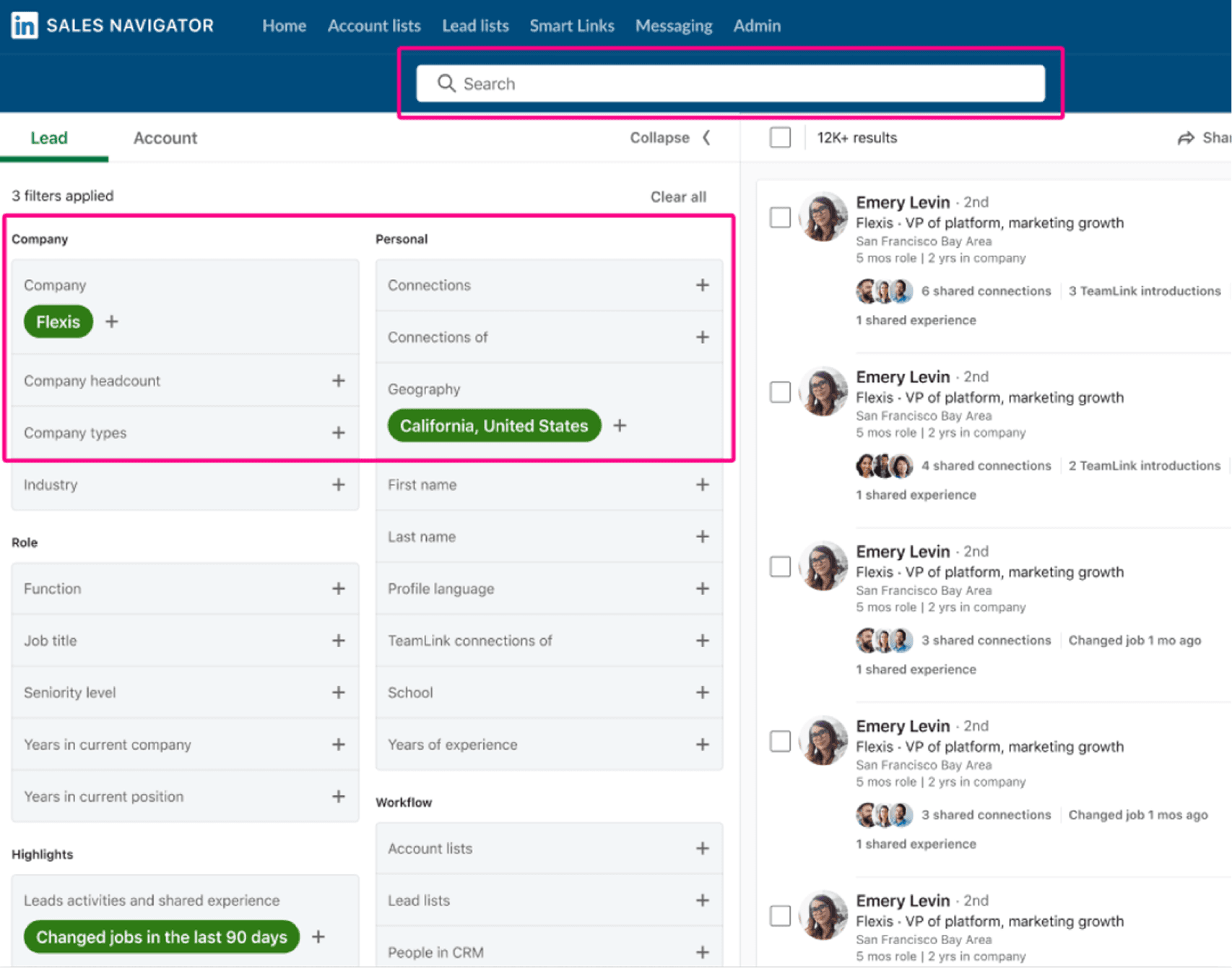
Pain point #1: Search efficiency – Janet constantly switches between keyword search & filtering
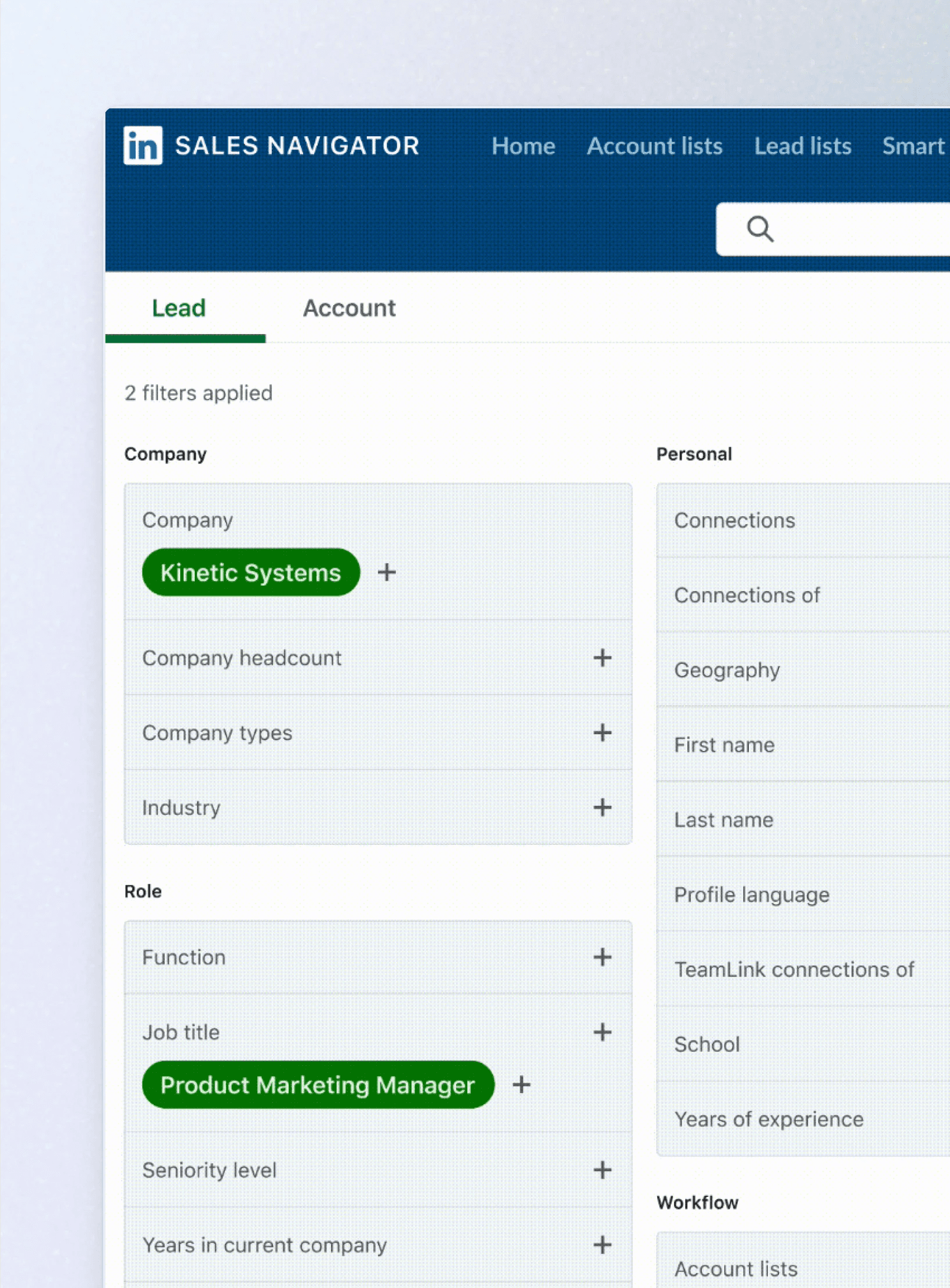
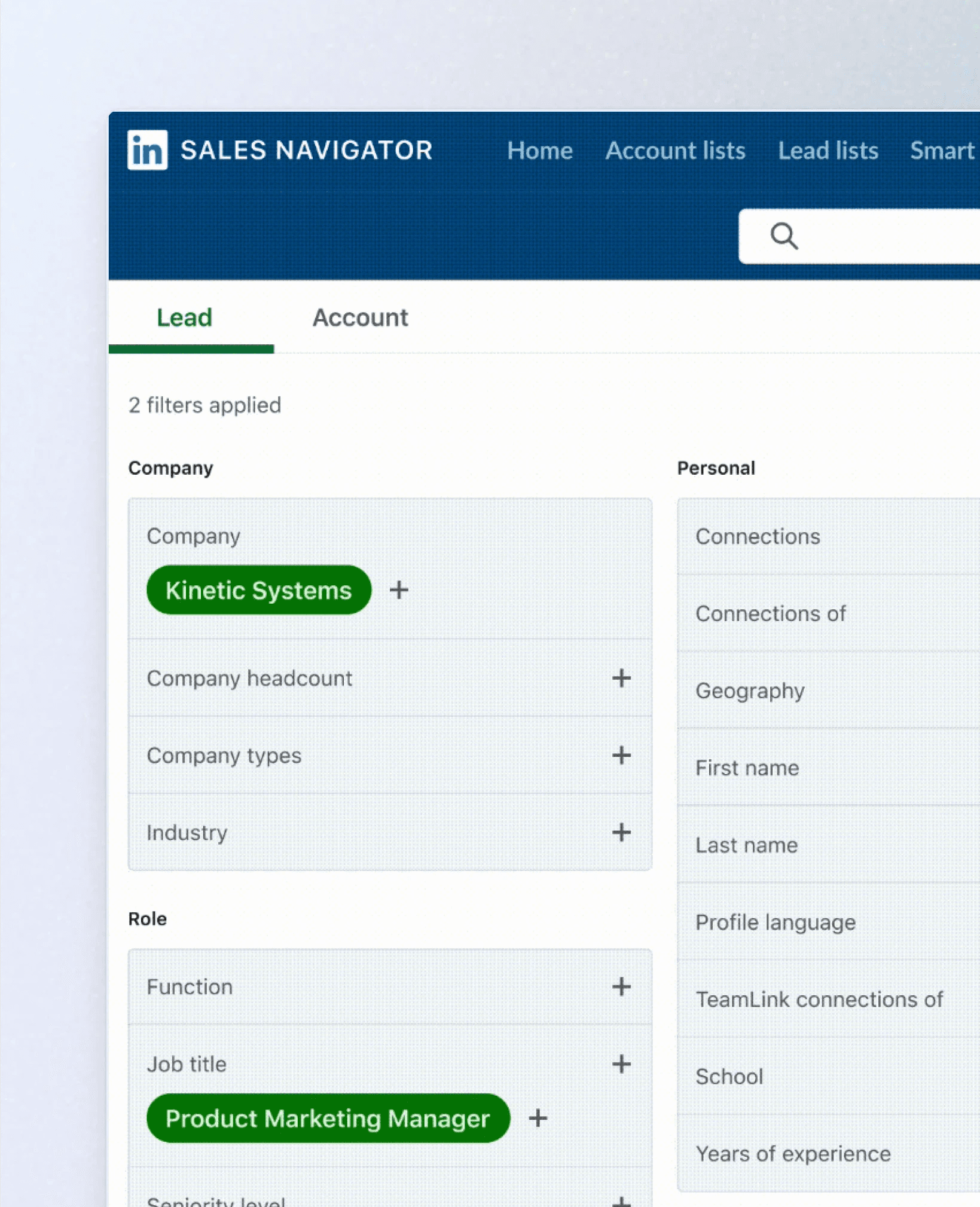
This experience introduces unnecessary friction through excessive clicks and inefficient filtering. She starts by typing a keyword in the search bar, then continues to refine the results using the advanced filters in the lefthand pane, which is both labor and time intensive.
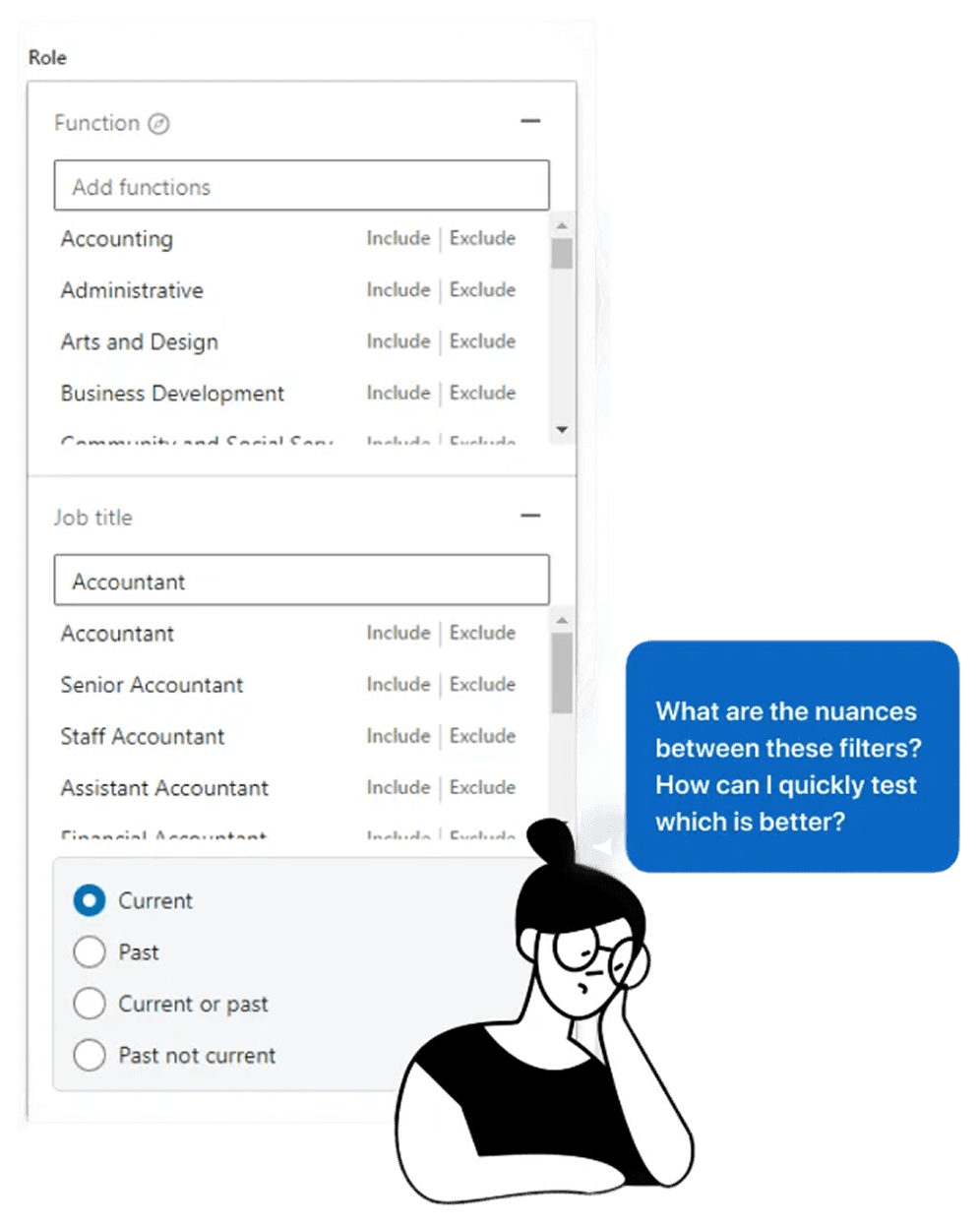
Pain point #2: Search effectiveness – Janet doesn't know which filters or words to use in her search
The current experience relies on Janet's ability to continuously iterate on filters/keyword combinations to find relevant results. However, she has to spend time experimenting with words until she finds a combination that works.
USABILITY SOLUTIONS
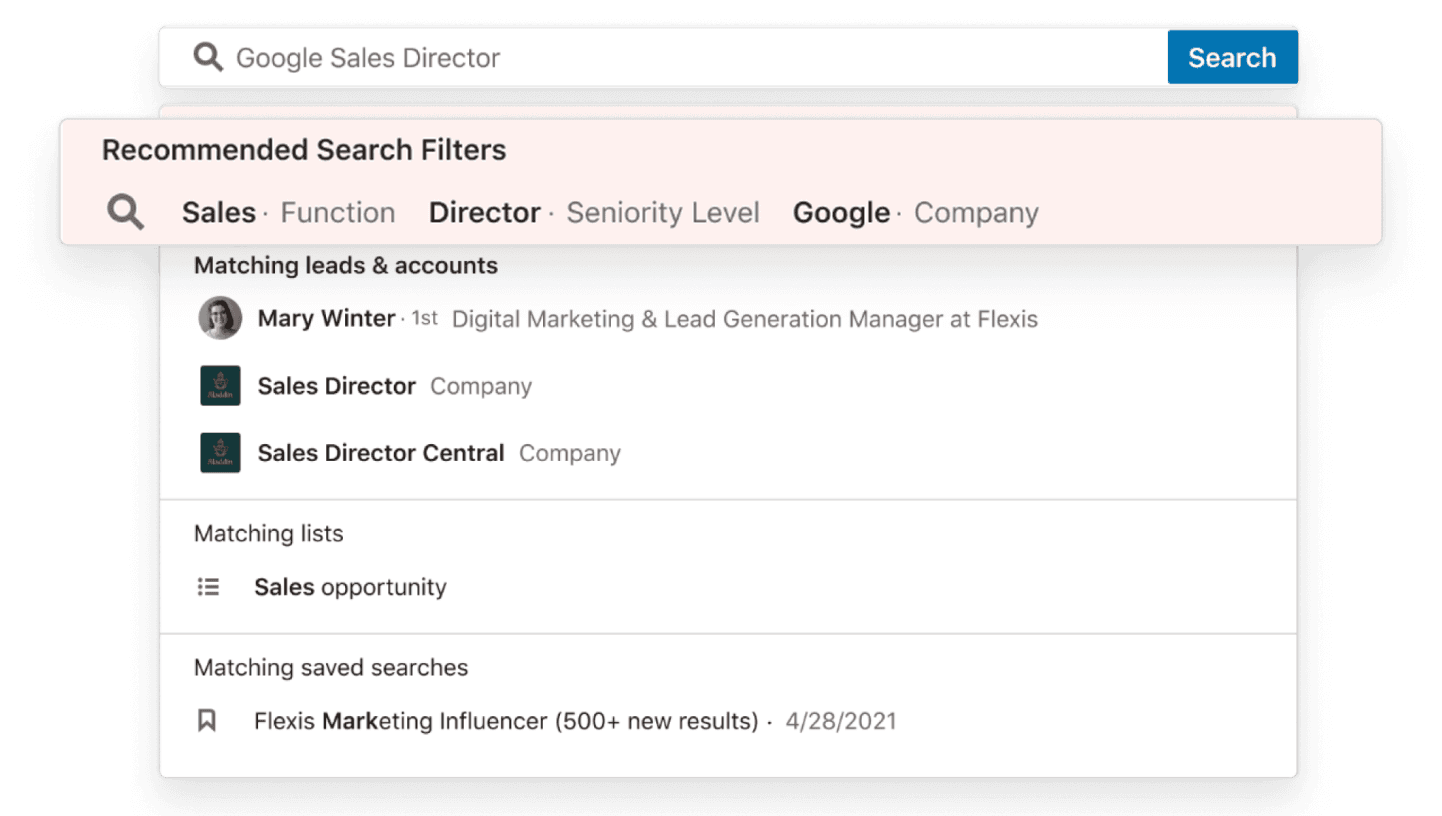
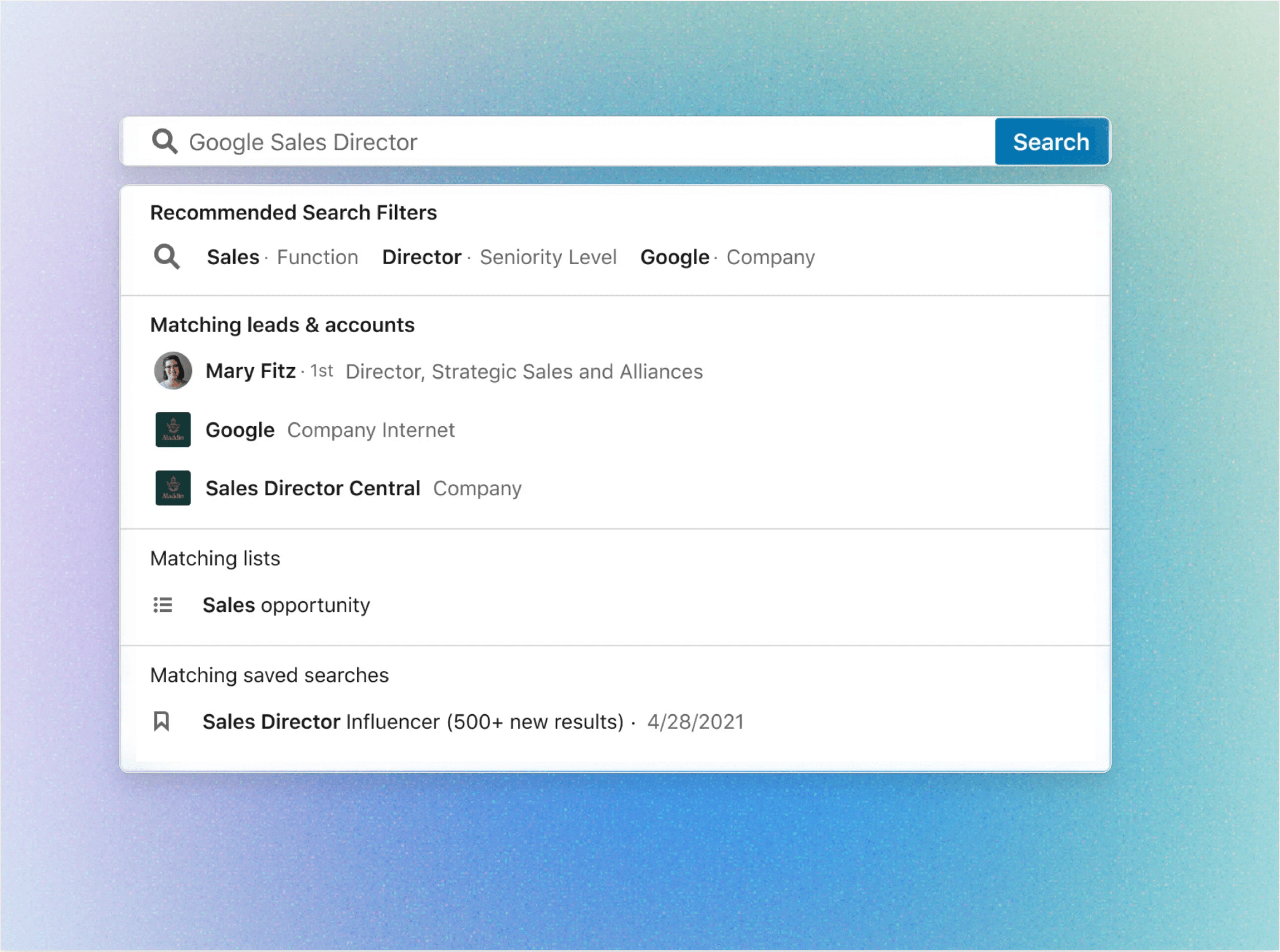
Suggest and auto-apply filters, based on keywords that users search
Reducing the time to search and the amount of errors made in the search process, will help users take more meaningful actions that we associate with successful search sessions, including:
Saving more leads and accounts users find
Messaging more leads directly through Sales Navigator
Creating custom lists to track leads
METRICS FOR SUCCESS
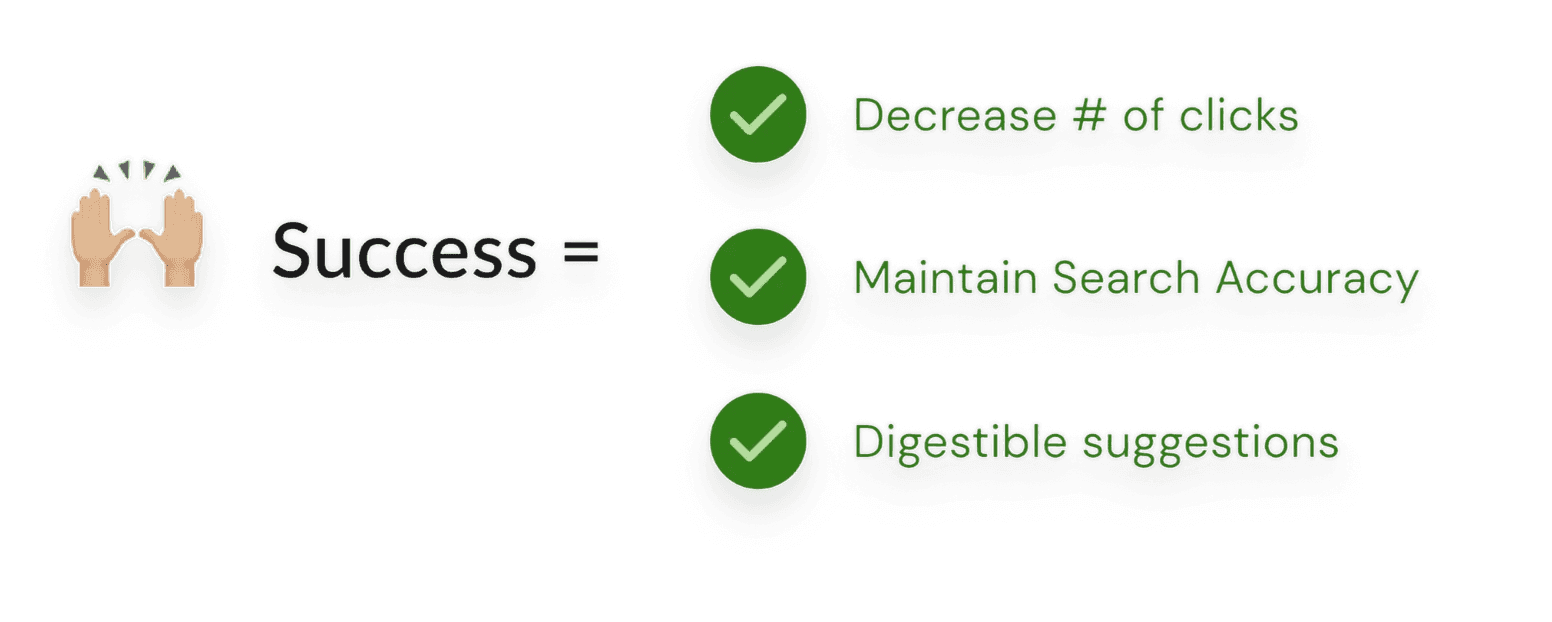
Success = an improvement in search efficiency metrics
PREVIOUS LEARNINGS
LinkedIn already has a wealth of search patterns we should leverage and learn from
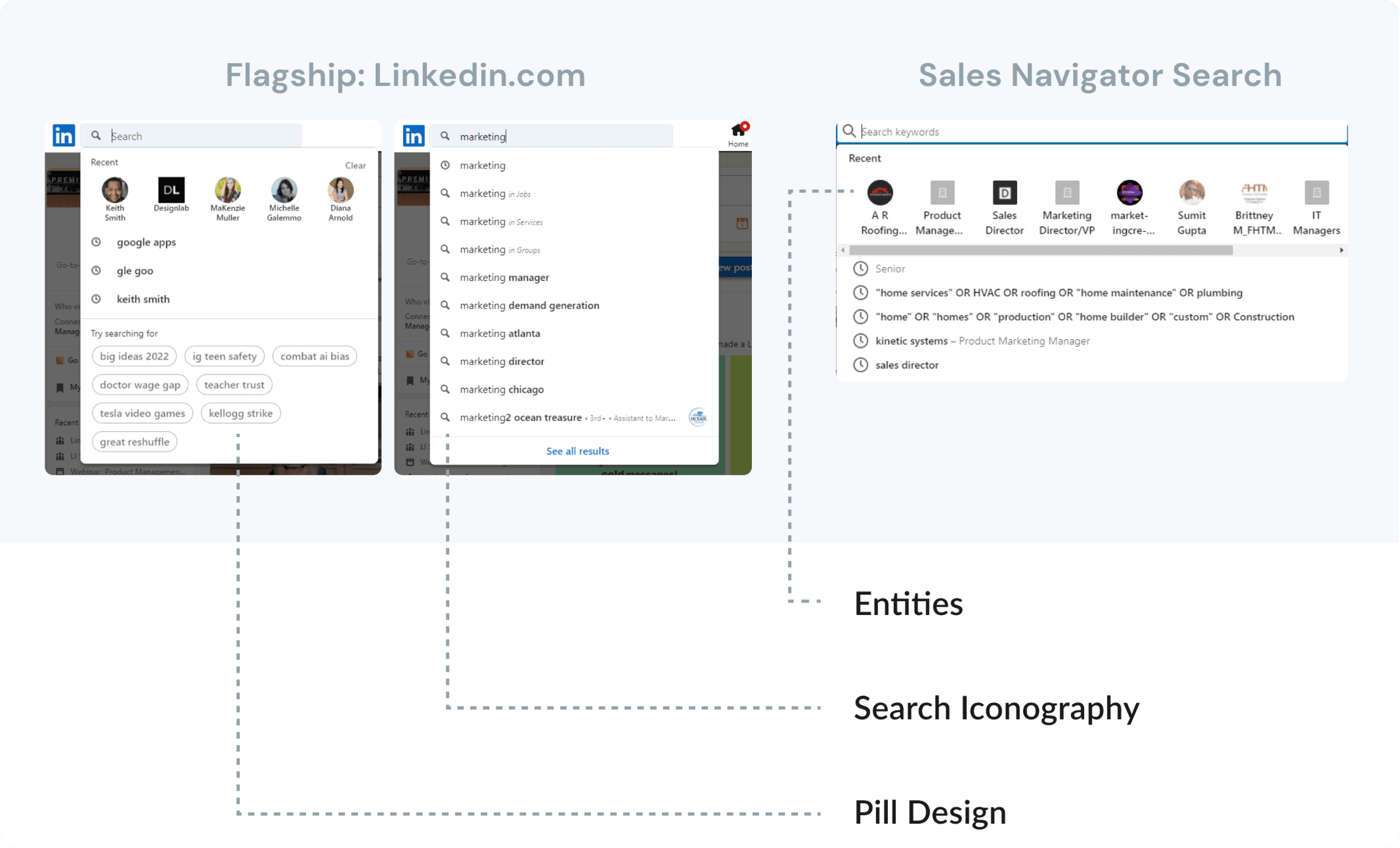
3 consistent search patterns on LinkedIn: Entities, Pills, and Icons
Working within LinkedIn’s design system, I reviewed LinkedIn.com and Sales Navigator and identified three recurring search typeahead patterns: entities, icons, and pills.
Users seek efficiency and descriptive control in search
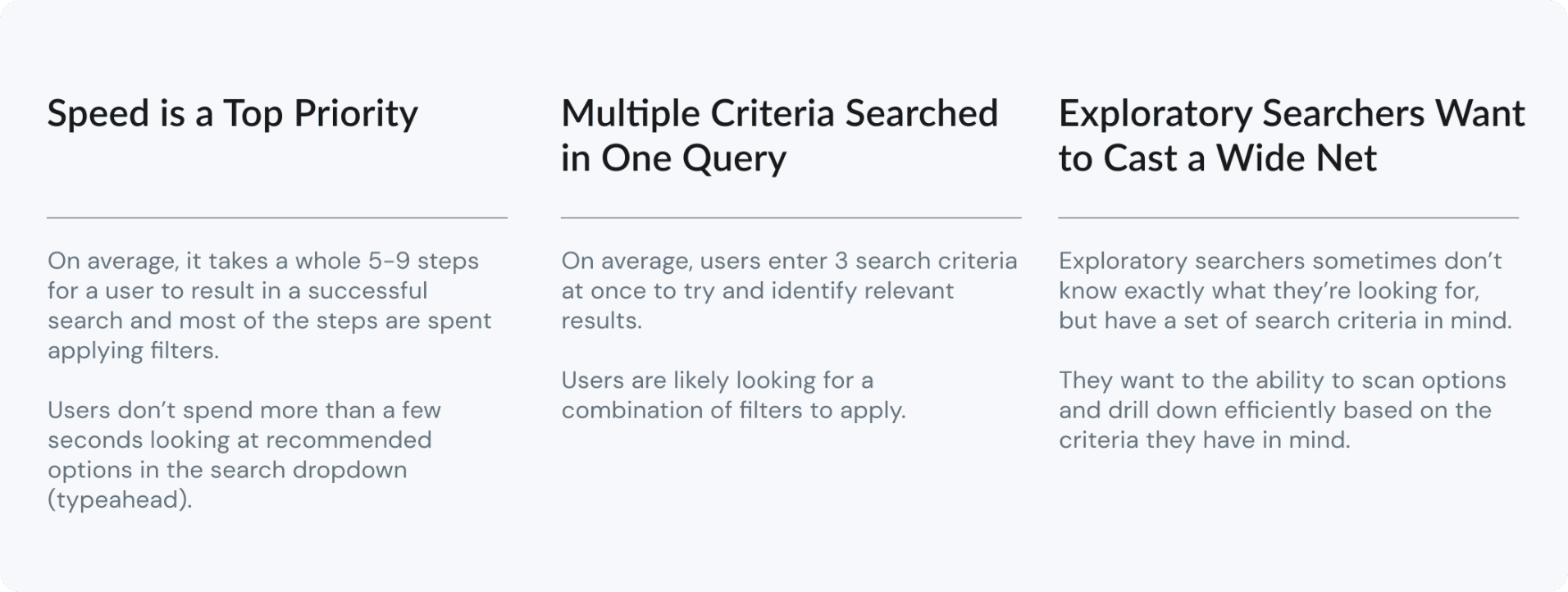
I reviewed prior UX research to understand user needs, behaviors, and the foundations of the existing search experience. Key takeaways:
USER JOURNEY
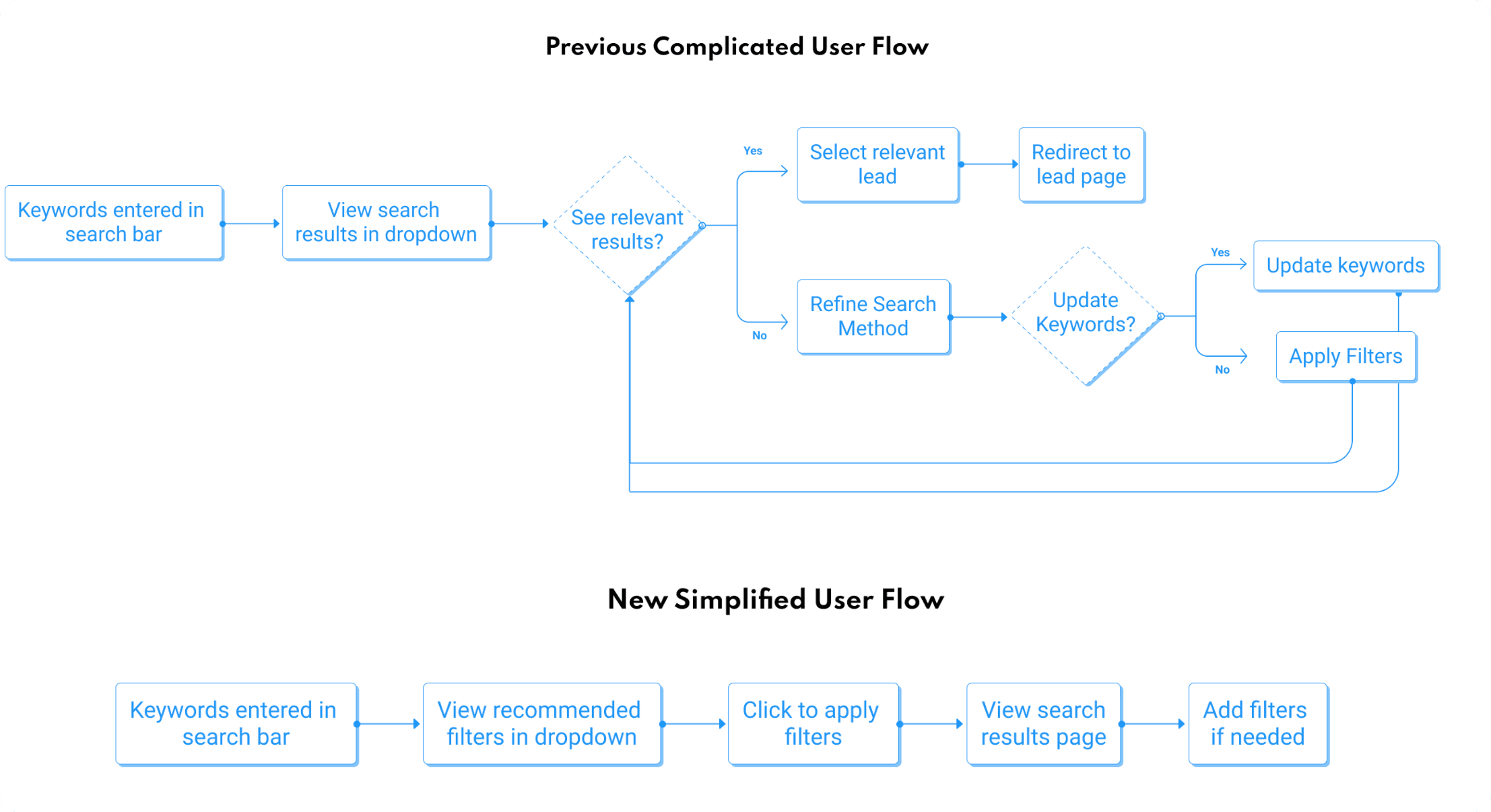
A simplified user flow will help searchers narrow relevant searches, by reducing the need to constantly iterate on keyword / filter combinations
DESIGN
Pills vs. Search facets as entities?
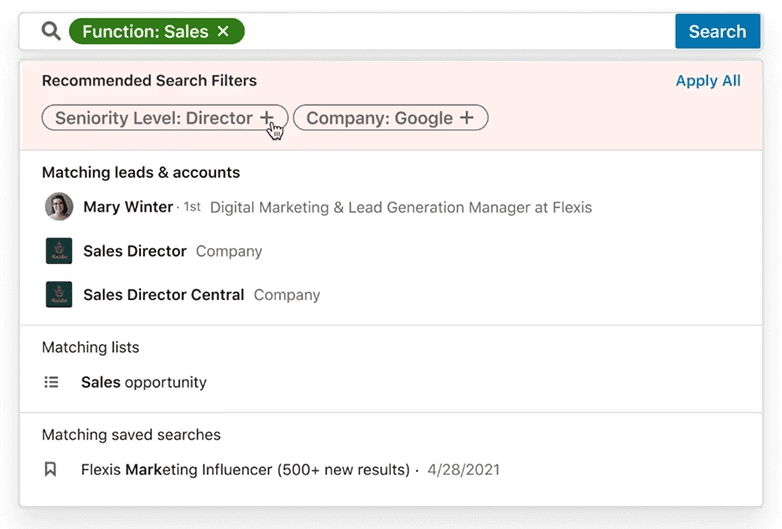
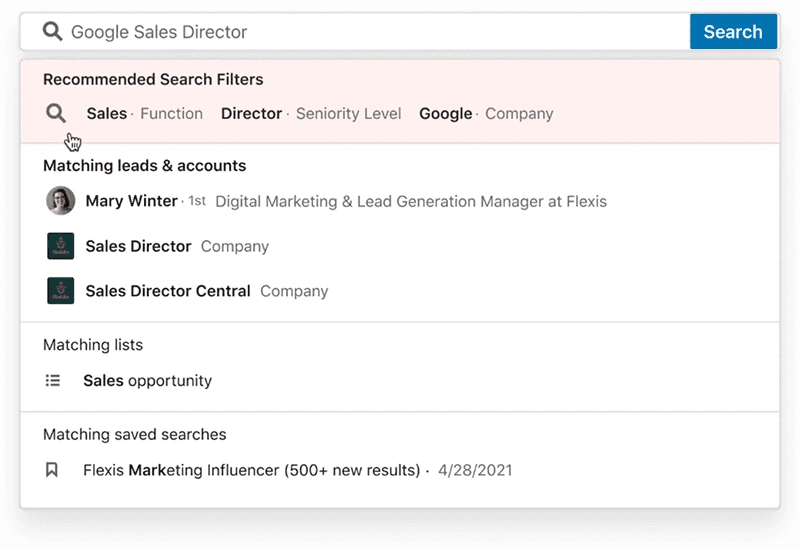
Initially, I explored different ways that we could display recommended filters to users in the search dropdown (i.e. typeahead). I primarily looked at 2 different designs: Pills and a Single Entity.
1
Additive pill facets
Prioritizes flexibility for exploratory search
2
Search facets as entities
Prioritizes efficiency and simplicity in experience
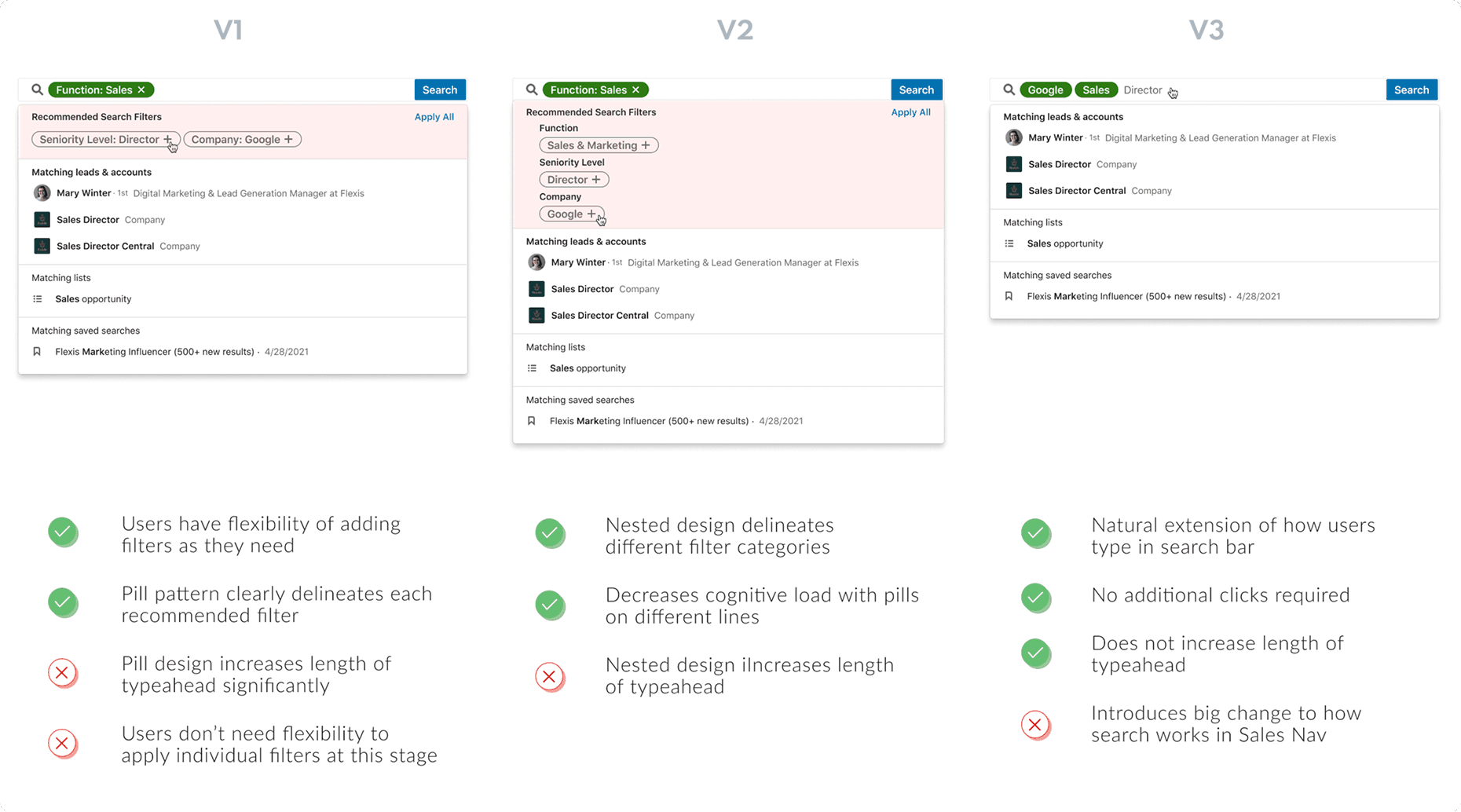
'Pill' UI explorations
I explored three pill designs to support flexible filter management and clear differentiation. Two used additive dropdown selection, while the third dynamically inserted filters during typing to reduce workflow disruption.
'Entity' explorations
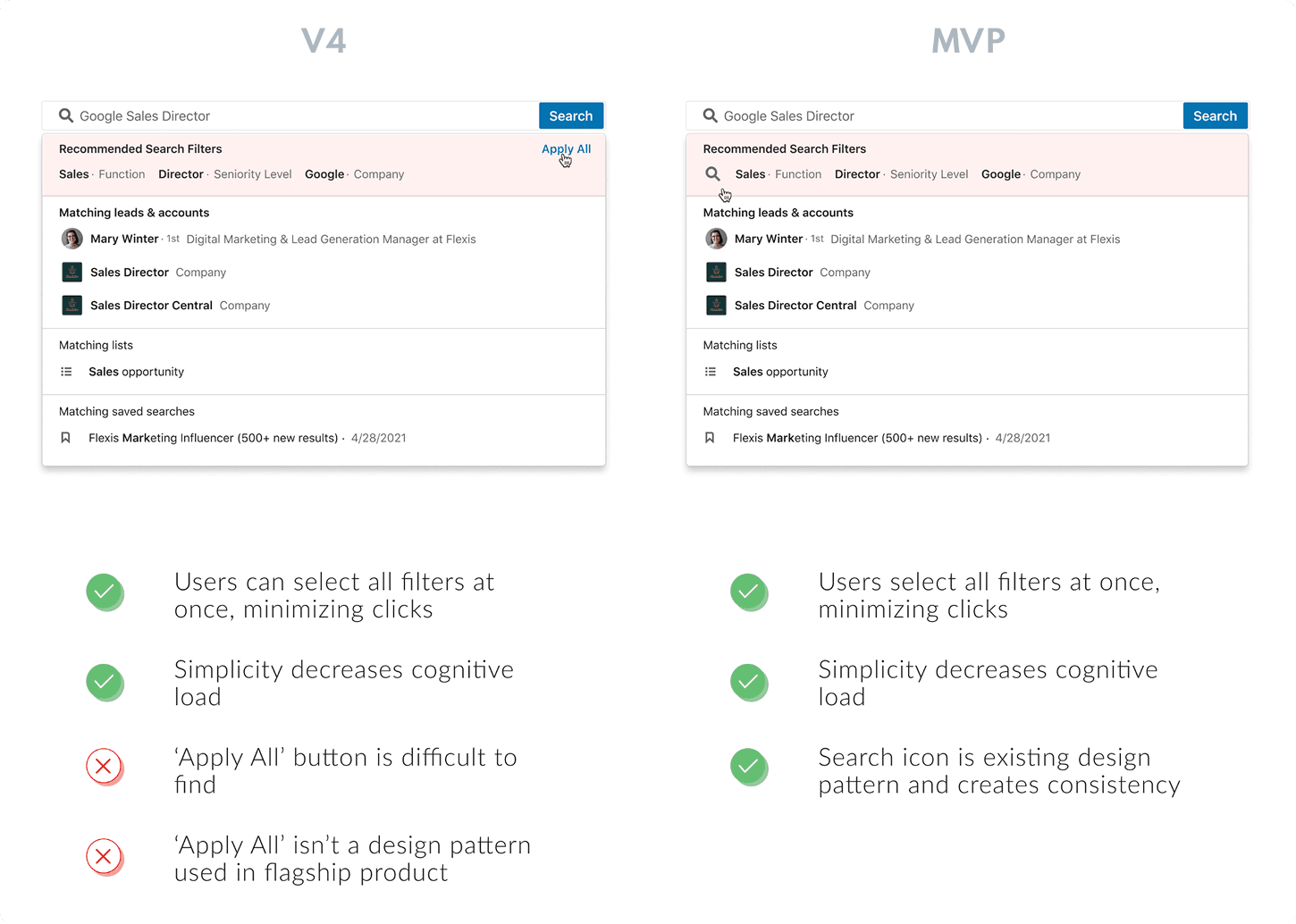
I also explored an “entity” format that applied matched filters in one step, prioritizing speed through fewer clicks and alignment with existing one-click search patterns. It also allowed users to adjust added filters later if needed.
FINAL DESIGN
Quick apply filters with entity search!
The entity design provided the greatest value, supporting fast, intuitive filtering.
Users prioritized perceived speed when searching - they wanted to scan options and make informed decisions in a timely manner.
The pill design prioritized for flexibility of adding and removing filters, which users actually did not need until after they had a starting point of one or two filters applied.